Step 01
Install the app
Download the macOS package, open it, and follow the installer. It places ImpulseNotes.app in Applications.
 ImpulseNotes
Turn notes into outcomes in one flow. ImpulseNotes gives creators and teams a fast capture layer plus Daily + Pomodoro execution directly in their Obsidian workflow.
Installs ImpulseNotes.app in Applications. Automatic update checks are available in Settings.
No build tools, no setup complexity.
Download the macOS package, open it, and follow the installer. It places ImpulseNotes.app in Applications.
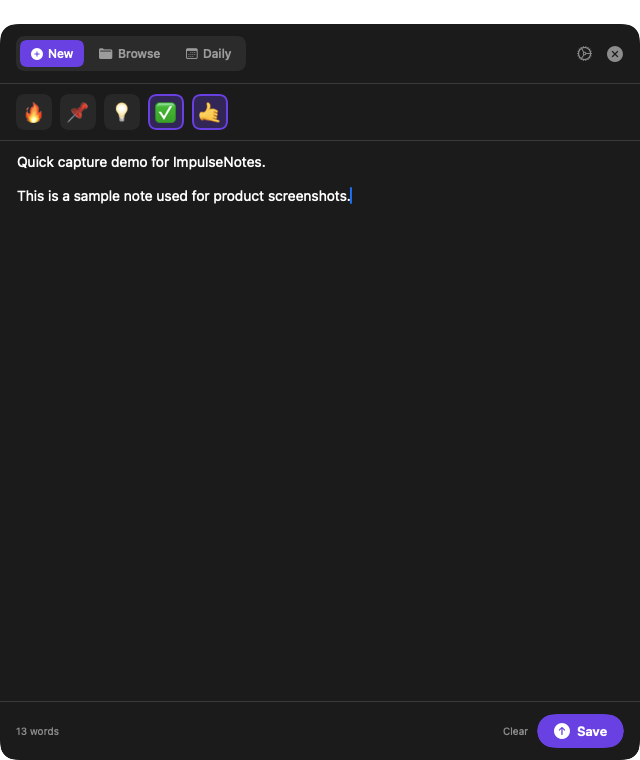
On first launch, select your Obsidian vault once. After that, capture is instant.
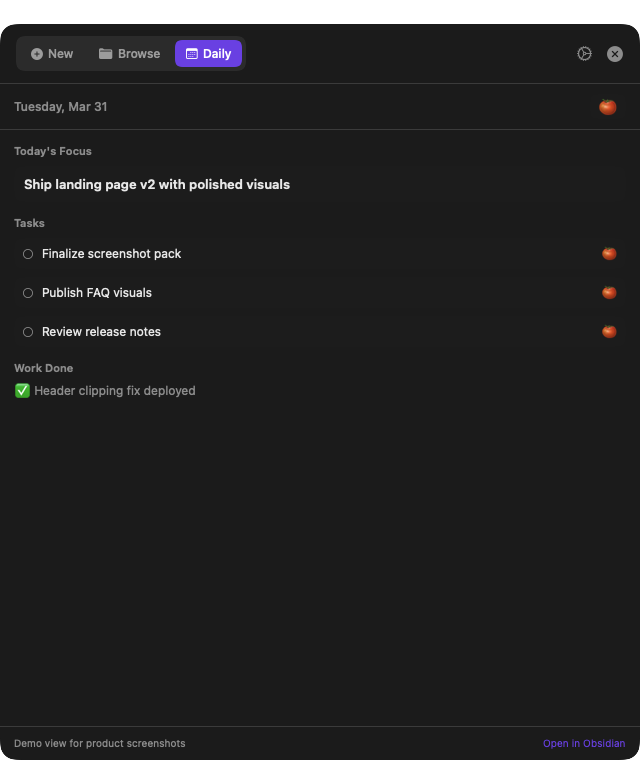
Use ⌥N for ideas, then switch to Daily to prioritize and run focus blocks.
A normal macOS package is the recommended path for users. Source builds stay available for developers.
The package installs ImpulseNotes into Applications, so macOS can treat it like a normal desktop app.
impulsenotes-landing.pages.dev/downloads/ImpulseNotes-macOS.pkg
Run the downloaded PKG and approve the standard macOS installer prompts.
The installer places ImpulseNotes.app in /Applications automatically.
Launch the app once and select the Obsidian vault where notes should be saved.
Turn on Launch at login in the app, then approve it in macOS Login Items if macOS asks.
Preview builds can show Apple's verification warning until the app is Developer ID signed and notarized. Only continue if you downloaded the package from this repository.
Each core view is shown at readable scale. Click images to inspect details.
One hotkey, one panel, zero friction. Drafts stay safe until you save.
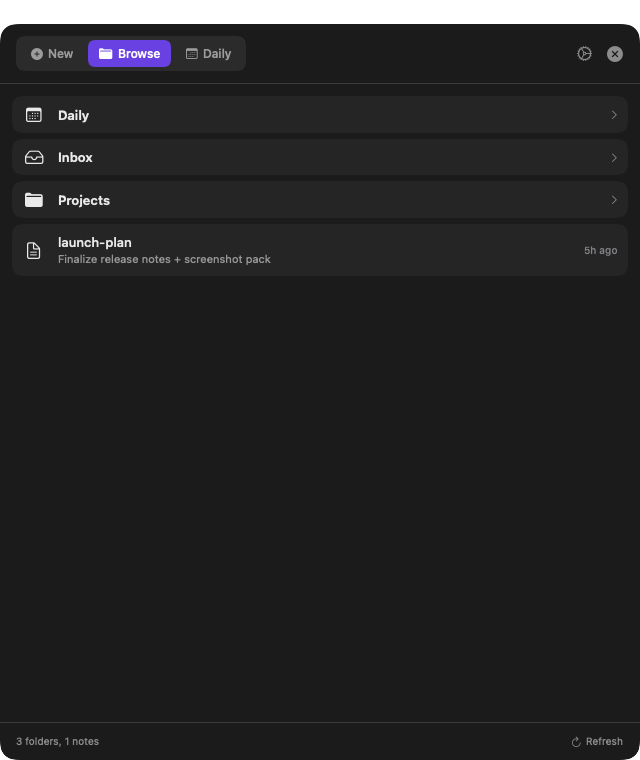
Browse folders fast and open notes instantly in Obsidian from the same UI.
Turn daily notes into execution with focus timers tied to real tasks.
ImpulseNotes stays close to the way Obsidian users already work: markdown files, fast capture, and daily execution without a separate SaaS layer.
No. Download the macOS package from the latest release. Developers can still build from source.
Yes. Developers can review, fork, and build from source at any time.
All screenshots are real app views. Click any of them to open an enlarged preview.
ImpulseNotes includes Sparkle update checks. The appcast and update ZIP ship as GitHub Release assets, so Settings can offer automatic and manual update checks.
Preview builds may show Apple's verification warning until ImpulseNotes is Developer ID signed and notarized. Use the Privacy & Security approval flow above if you trust the package source.
Move through the package installer first, open ImpulseNotes once, then enable Launch at login in the app. If macOS asks, approve ImpulseNotes in System Settings > General > Login Items.
https://impulsenotes-landing.pages.dev/downloads/ImpulseNotes-macOS.pkg